Munch AR App

Project Summary

As part of our Agile project, we collaborated with the Munch Museum to develop a digital solution aimed at enhancing the visitor experience and attracting young adults to the museum. Our team, consisting of students from various fields, utilized modern technology to create the Munch AR app. This app features Mr. Scream, an AR guide who leads users through Oslo, providing travel tips and fascinating trivia about Edvard Munch's artworks. The AR feature incorporates GPS to help users navigate and discover more about the museum's collections.


Project Process

1. Research and Concept

We started by researching how AR technology could enhance the museum experience, aiming to create an engaging and interactive experience for young adults. By combining art with modern technology, we sought to make museum visits more appealing and fun.

Using the collaboration platform Miro, we brainstormed ideas for an AR guide inspired by Munch's famous painting "The Scream." This character, Mr. Scream, would guide users through the museum and the city, offering interesting facts about Munch and his artworks.
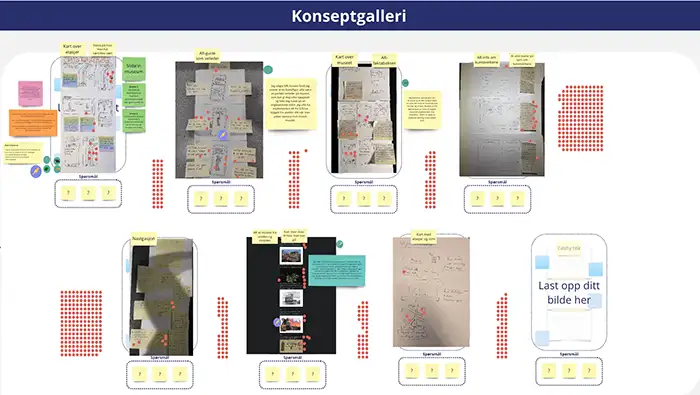
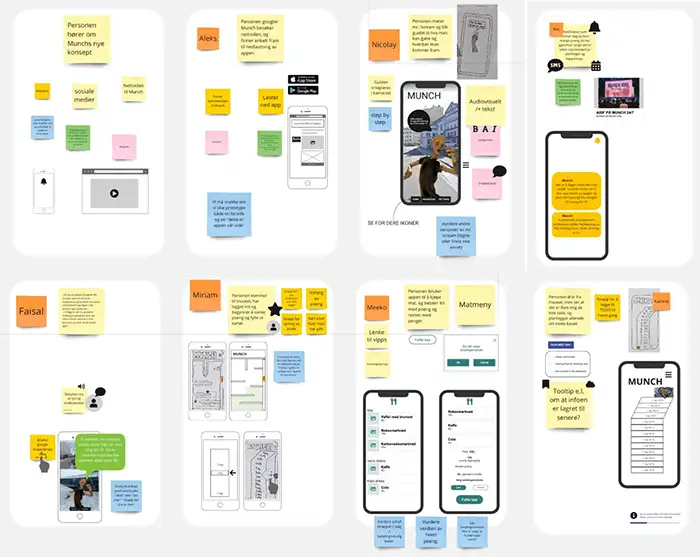
AR Idea Example 1

2. Design Sprint

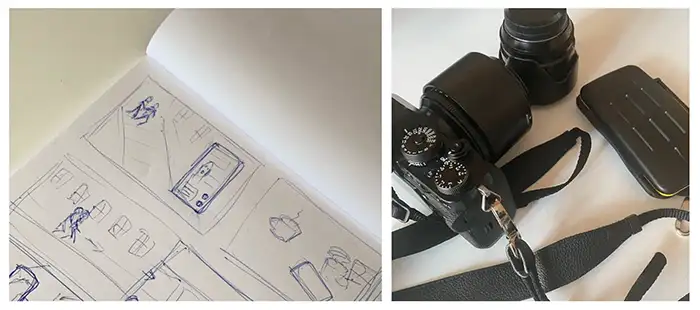
During the design sprint, we brainstormed ideas for the AR guide, developed sketches and wireframes, and created a prototype using Figma. This included user flows, interactive elements, and initial designs for the AR guide.

The design sprint helped us explore creative solutions and align our vision with the client's expectations, focusing on the AR feature to provide a unique and engaging experience for museum visitors.

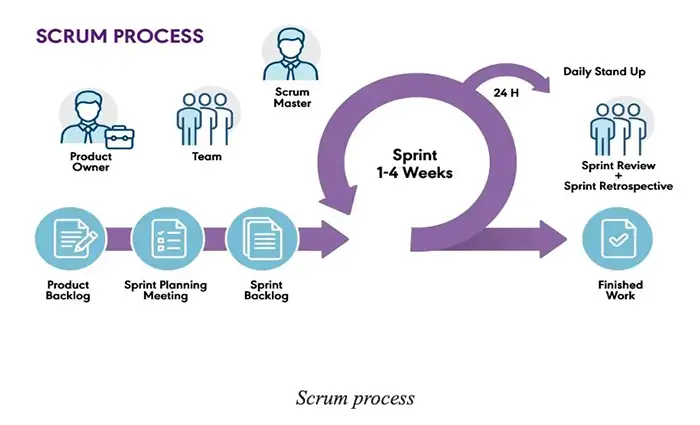
AR Idea Example 2 Scrum Process

3. Prototype

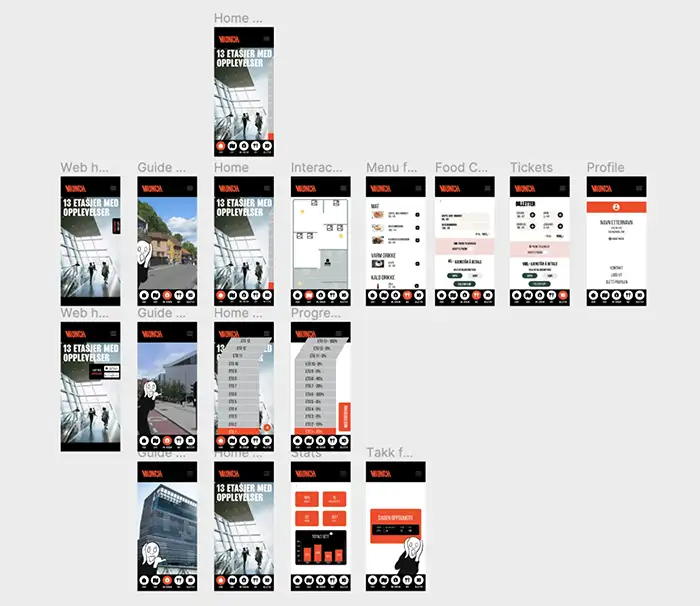
Our initial prototype included the Mr. Scream guide, a QR scan solution for artworks, a shop for the cafeteria, and a map of the museum showing the user's progress in discovering artworks. However, our advisor recommended focusing solely on the AR and QR features.

We then developed a focused prototype of the AR feature using Figma, including GPS navigation, information about Munch's artworks, and travel tips for Oslo.

Initial App Prototype AR Prototype

4. AR Feature Development

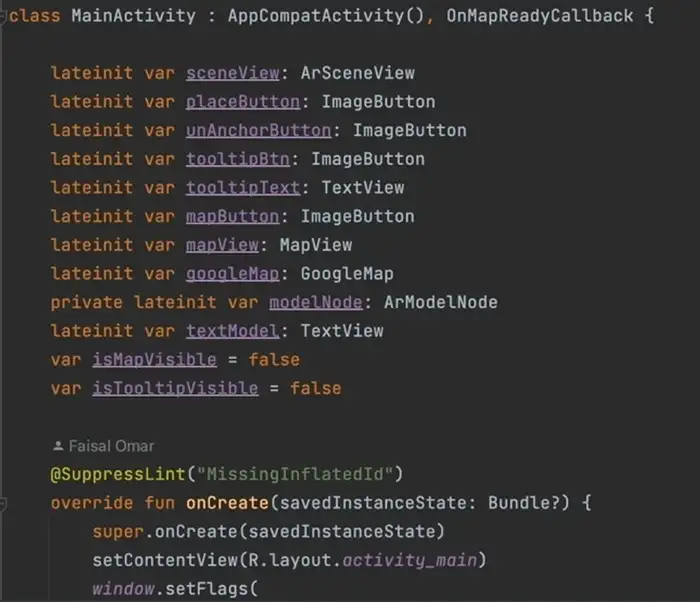
We developed the AR feature using Kotlin for Android. Mr. Scream, our virtual guide, provides engaging information and guides users with GPS functionality to enhance navigation around Oslo and within the museum.

The development process involved creating a 3D model in Unity, integrating the Google Maps API, and using various tools and technologies to bring the AR feature to life, making it both functional and visually appealing.

Kotlin Development

5. Product Video

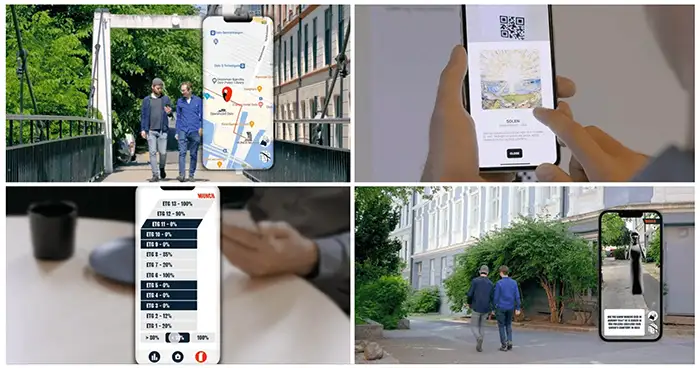
To present our AR solution, we created a video showcasing how the AR feature works in practice. We recorded a video with two actors representing friends using the app to visit the Munch Museum, demonstrating the AR guide, QR code scanning, and the statistics feature.

We filmed the app's usage in Oslo and the museum, adding overlays to show the user's perspective. The video highlights key features, including adding favorite artworks and checking statistics after the museum visit.

Product Video Product Video Filming

6. Further Development

The next step would be to develop a complete application that encapsulates all functions. The statistics feature would need a user profile to track individual progress and connect to a database containing artwork information. We would plan to add a point system for users who scan QR codes, allowing them to earn discounts on tickets and at the cafeteria.

For the AR feature, we would aim to improve accessibility for vision-impaired users by adding sound options. We would also plan to enhance the AR guide to collaborate with local businesses, offering suggestions and discount codes to users with an active ticket from Munch. GPS functionality would be integrated to update the map based on the user's location, and the guide would be developed to interact more naturally with users.

Product Video